Reorder action cards on the user home page
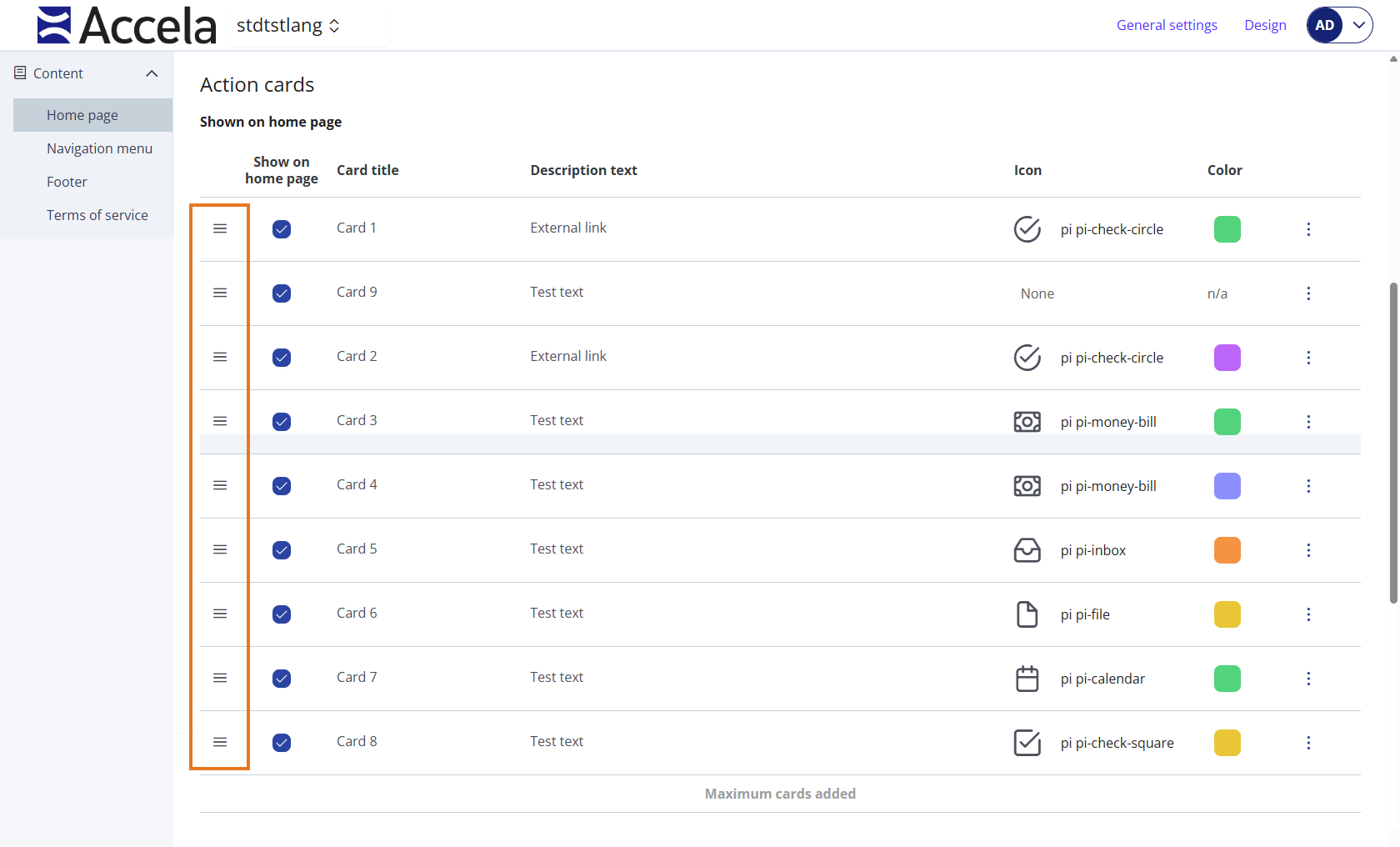
The Shown on home page list is the current set of action cards that display on the user home page. You can change the display order of these cards at any time.
Reorder an action card on the user home page
-
From Public Portal administration, select Content > Home page.
-
In the Action cards section, navigate to the Shown on home page section.
-
Click and hold the drag handle of the card you want to move.
-
Drag the card up or down to a new position in the list, then release.
Tip: Preview the user home page when you make changes. -
Select Publish to save your changes to the public user home page.
-
Select Discard changes to undo your changes.
 See also
-