Edit, rename, and delete a report
Civic Platform users with the correct permissions can edit, rename, and delete reports in the Report manager.
Edit a report
You can edit report details, but be aware that your edits can affect how the report behaves and runs. If you identify report parameters, permissions, and workflows for the report and you modify the report link, the report might not behave correctly.
The report name, category, and the show in report options affect what the user sees. If you rename, move, or hide a report the report list that displays for the user changes accordingly.
To edit a report
-
From the Administration menu, select Report > Report manager.
-
Expand the category that contains the report.
-
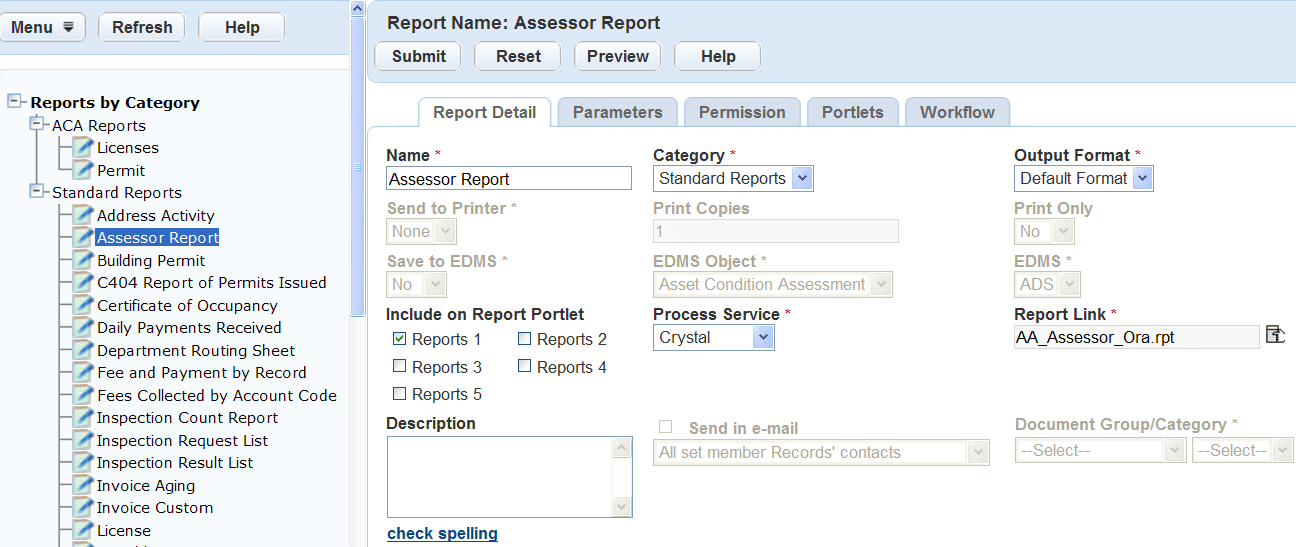
Select the report you want to remove from the portlet
-
Update the report details as necessary.
-
Select Submit.
Rename a report
The ability to rename the report is available under any of the categories in the navigation tree. It is important to understand that renaming a report under one category, such as Reports by name, renames the report under another, such as Reports by category.
The name that displays in the navigation tree is also the name that displays for the users. When you rename a report in the reports administration, the report reflects the change in the Reports page and in the portlet where the user accesses the report.
To rename a report
-
From the Administration menu, select Report > Report manager.
-
Expand the category that contains the report.
-
Select the report you want to remove from the portlet.
-
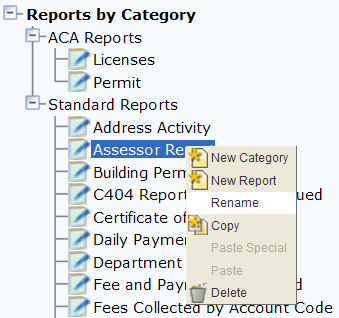
Right-click the report and select Rename.
-
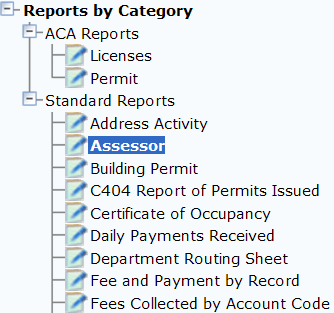
Enter the Report name.
-
Select OK.
Delete a report
When you delete a report from Report Manager, it removes the report from the report administration, and removes the reference to the report under categories in the Reports page and from any form or list portlet in which it appears. The report remains in the report directory on the server and accessible to Report Manager at a later date if needed. To remove a report from the reports directory on the server, contact your Accela implementation specialist or refer to the Civic Platform On-premise Administrator Supplement.
To delete a report
-
From the Administration menu, select Report > Report manager.
-
Expand the category that contains the report.
-
Select the report you want to remove.
-
Select Delete option.
-
Select OK to confirm the deletion of the report.